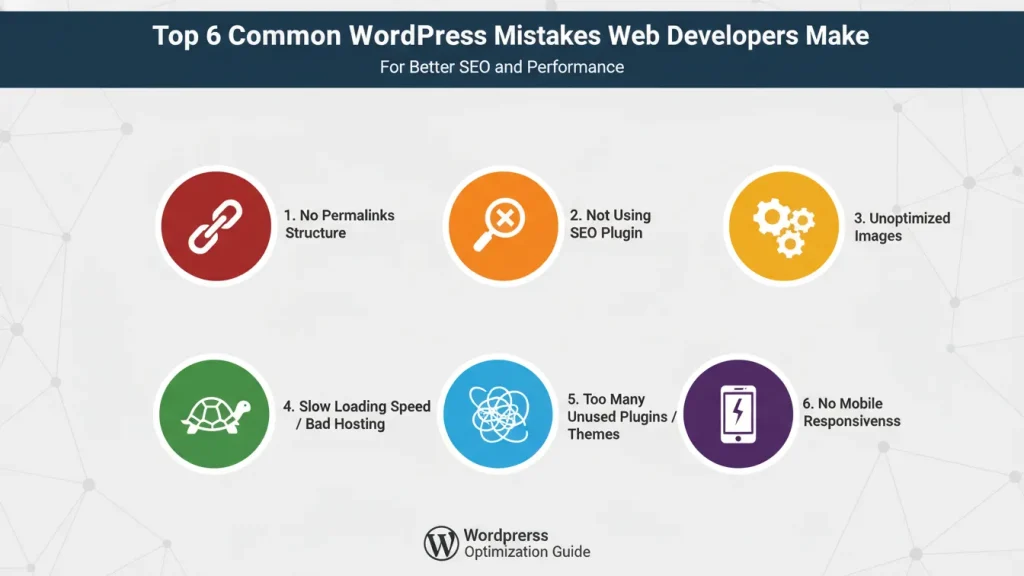
Working on a WordPress website often feels like decorating a small apartment. Space feels limited, every choice matters, and yet the process can be deeply satisfying. At first, you may feel unsure about themes, plugins, or layout decisions. However, as pieces come together, the site begins to feel like home. That is where many WordPress mistakes quietly appear. Even experienced developers slip into habits that look fine on the surface but cause issues later. From rushed setups to overlooked details, these moments shape how a site feels and performs. In truth, understanding WordPress mistakes early makes the whole journey calmer, more intentional, and far more rewarding for developers and clients alike.
Table of Contents
1. Top common WordPress mistakes developers often overlook
To begin with, many problems start during the early setup stage. Developers may rush through configurations, thinking they will fix things later. However, WordPress setup mistakes after launch often cost more time than expected. For instance, skipping basic settings like timezone, permalink structure, or media sizes leads to small frustrations that add up. WordPress itself explains the importance of correct setup in its official documentation on general settings. Over time, these details affect SEO, publishing flow, and even client confidence. In other words, slow beginnings usually create slower progress later.
At the same time, WordPress beginner mistakes still appear in professional work. Developers sometimes install too many plugins, forget to test staging sites, or ignore cleanup after development. WPBeginner often highlights these common issues in its guide on WordPress mistakes to avoid. Although these steps feel minor, they influence long term stability. All in all, starting with care sets the tone for everything that follows.
2. Security and Maintenance Mistakes that invite trouble
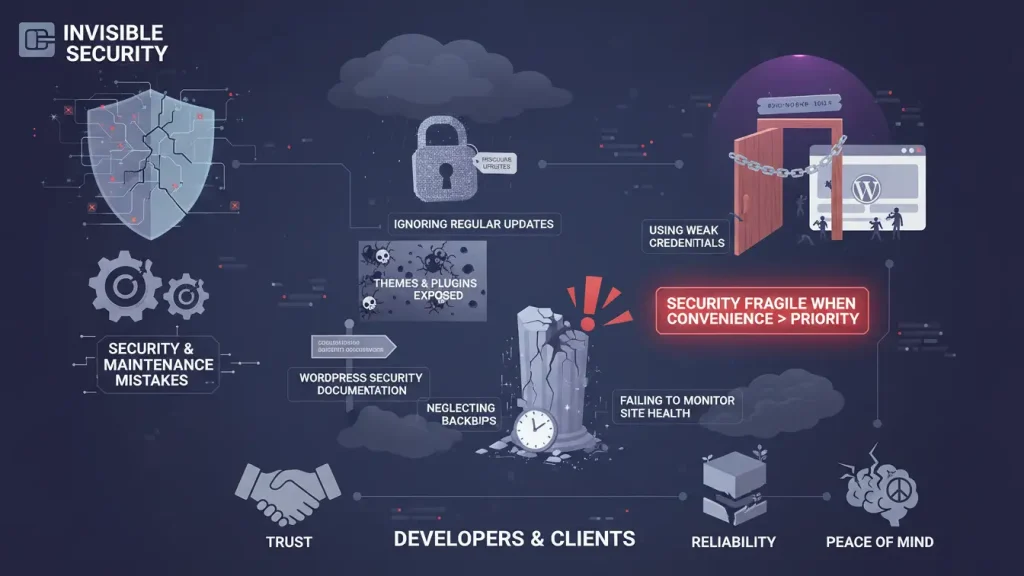
Security often feels invisible until something goes wrong. Because of that, Security and Maintenance Mistakes remain among the most common issues developers face. Ignoring Regular Updates leaves themes and plugins exposed to known risks, as explained in the WordPress security documentation. Similarly, Using Weak Credentials may seem harmless on small sites, yet it opens doors that should stay closed. In effect, security becomes fragile when convenience takes priority.
Equally important, neglecting backups turns minor issues into major disasters. WordPress recommends reliable backup practices in its site maintenance guide. If something breaks, recovery becomes stressful instead of routine. In the same way, failing to monitor site health causes problems to grow quietly. Over time, these WordPress mistakes affect trust, reliability, and peace of mind for both developers and clients.
3. Performance and Optimization Mistakes that slow everything down
A website should feel light and welcoming, much like a well arranged room. Unfortunately, Performance and Optimization Mistakes often clutter the experience. Choosing Poor Hosting creates slow loading times from the start, no matter how clean the design looks. Hosting quality is frequently discussed in WordPress performance guides like this overview on site speed basics. On the other hand, Neglecting Page Speed sends visitors away before they explore.
Another overlooked issue is Ignoring Image Optimization. Large images may look beautiful, yet they quietly slow pages. Google explains this clearly in its resource on optimizing images for the web. As a result, the site feels heavy instead of inviting. Over time, these WordPress Mistakes hurt search visibility and user patience. When performance flows smoothly, visitors stay longer and feel more at ease.
4. Coding and Development Mistakes that limit flexibility
Code works best when it stays organized and thoughtful. Still, Coding and Development Mistakes happen even to skilled developers. Editing Parent Theme Files Directly creates problems during updates, since changes disappear without warning. WordPress strongly recommends using child themes in its guide on theme development. In contrast, child themes protect work and support long term growth.
Likewise, Ignoring WordPress Coding Standards leads to messy code that becomes harder to maintain. The official WordPress coding standards exist to support readability and collaboration. Eventually, collaboration suffers and debugging takes longer. Although these WordPress Mistakes may not show immediately, they shape how easily a site evolves.
5. User Experience and SEO Mistakes that confuse visitors
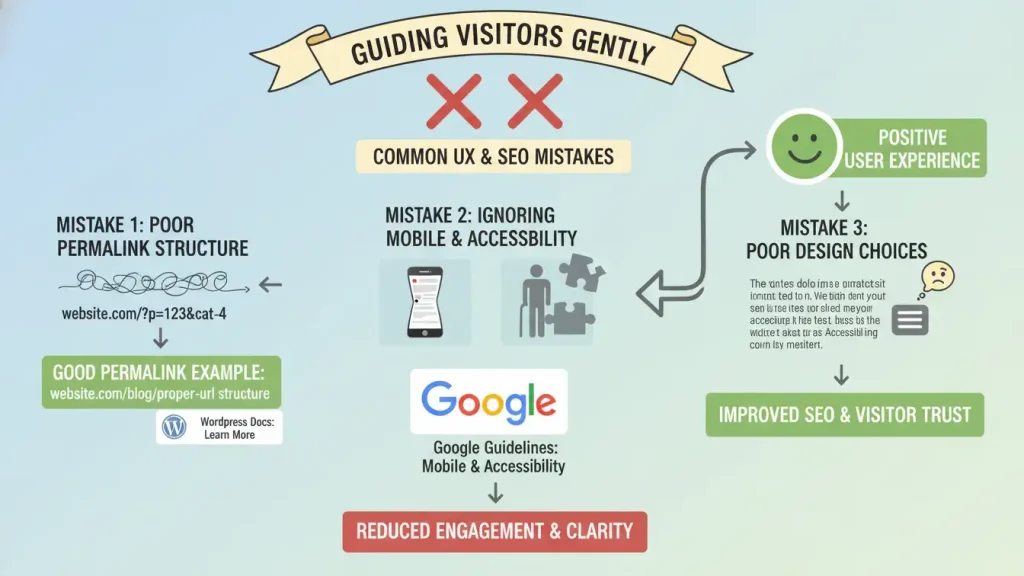
A website should guide visitors gently, not force them to think. Yet User Experience and SEO Mistakes often interrupt that flow. Poor Permalink Structure creates confusing URLs that search engines and users struggle to understand. WordPress explains proper URL structure in its permalink settings documentation. Meanwhile, Forgetting Mobile Responsiveness and Accessibility excludes visitors who browse on phones or rely on assistive tools.
Google highlights the importance of accessibility and mobile usability in its search experience guidelines. In addition, small design choices affect comfort. Fonts that feel cramped or navigation that feels hidden make visitors uneasy. Over time, these WordPress Mistakes reduce engagement and clarity.
6. Small habits that quietly turn into big WordPress Mistakes
From time to time, developers overlook testing. Updates roll out without checking forms, layouts, or checkout flows. Although this may seem efficient, it increases risk. Similarly, cluttered dashboards filled with unused plugins distract focus. WPBeginner discusses these ongoing habits in its article on WordPress maintenance.
What matters most is awareness. Recognizing patterns early helps developers adjust before issues grow. With attention and intention, WordPress Mistakes become learning moments rather than setbacks. In essence, consistency builds calm and reliable workflows.
A thoughtful wrap up
Building a WordPress site mirrors creating a cozy, functional living space. Every choice, from hosting to code structure, shapes how the site feels and performs. By noticing WordPress Mistakes early, developers gain room to refine, simplify, and grow. Over time, careful decisions lead to sites that feel welcoming, stable, and easy to maintain. With patience and curiosity, each project becomes smoother than the last. In the end, thoughtful development invites creativity, supports business goals, and leaves space for future ideas to unfold naturally.
FAQ
a. What are the most common WordPress mistakes web developers make?
The most common WordPress mistakes include rushing the initial setup, ignoring regular updates, choosing poor hosting, neglecting backups, and overlooking page speed. Developers also run into issues when they edit parent theme files directly or ignore WordPress coding standards. Over time, these choices affect performance, security, and long term maintenance.
b. Why are WordPress setup mistakes after launch a problem?
WordPress setup mistakes after launch often lead to SEO issues, broken layouts, and confusing site structure. When settings like permalinks, timezone, or media sizes are skipped early, fixing them later becomes more difficult. Starting with a careful setup helps avoid unnecessary rework and keeps the website organized from the beginning.
c. How do security and maintenance mistakes affect a WordPress website?
Security and maintenance mistakes make a website vulnerable to attacks and data loss. Ignoring regular updates and using weak credentials increase security risks, while neglecting backups makes recovery stressful if something goes wrong. Consistent maintenance helps protect the site and keeps everything running smoothly.
d. What performance and optimization mistakes slow down WordPress sites?
Performance and optimization mistakes include choosing poor hosting, neglecting page speed, and ignoring image optimization. These issues cause slow loading times and frustrate visitors. When a site feels heavy, users leave quickly and search engines rank it lower, which affects overall visibility.
e. How do user experience and SEO mistakes impact visitors?
User experience and SEO mistakes confuse visitors and reduce engagement. Poor permalink structure makes URLs hard to understand, while forgetting mobile responsiveness and accessibility excludes many users. A clear layout, readable content, and mobile friendly design help visitors move through the site comfortably and stay longer.