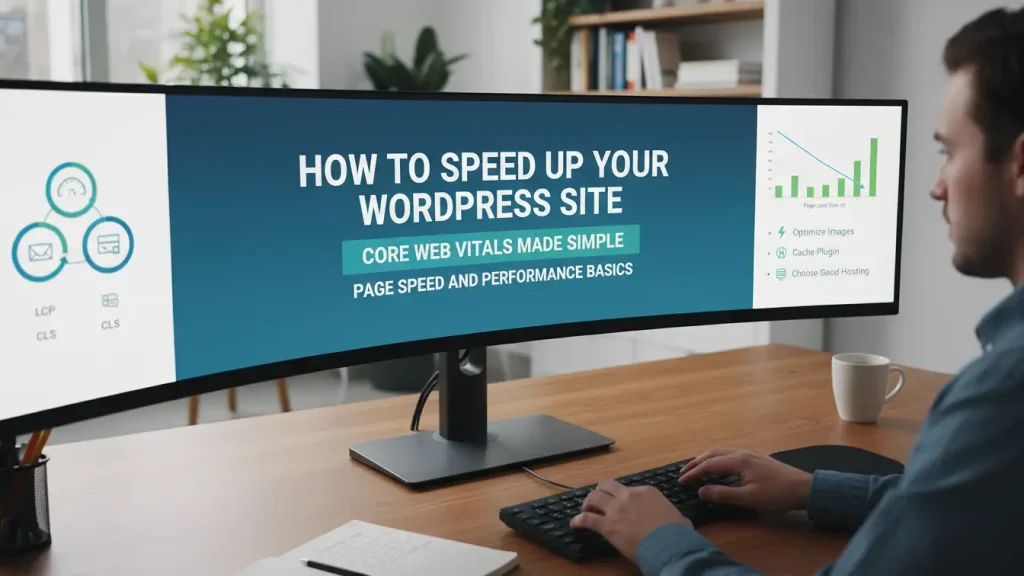
Decorating a small room teaches you patience. Every chair matters. Every light source counts. In much the same way, building a website can feel cozy and creative, yet slightly tight on space. When pages load slowly, the whole experience feels cluttered. That is where learning how to speed up your WordPress site starts to feel rewarding rather than stressful.
Many site owners know something feels off but cannot point to the cause. Core Web Vitals often sound technical, although they reflect very human moments like waiting for a page to appear or tapping a button that responds too late. When you speed up your WordPress site, you create breathing room. You give visitors a calmer place to stay, scroll, and enjoy your content, much like rearranging furniture until a room finally feels right.
Table of Contents
1. How to Speed Up Your WordPress Site and Understand Core Web Vitals
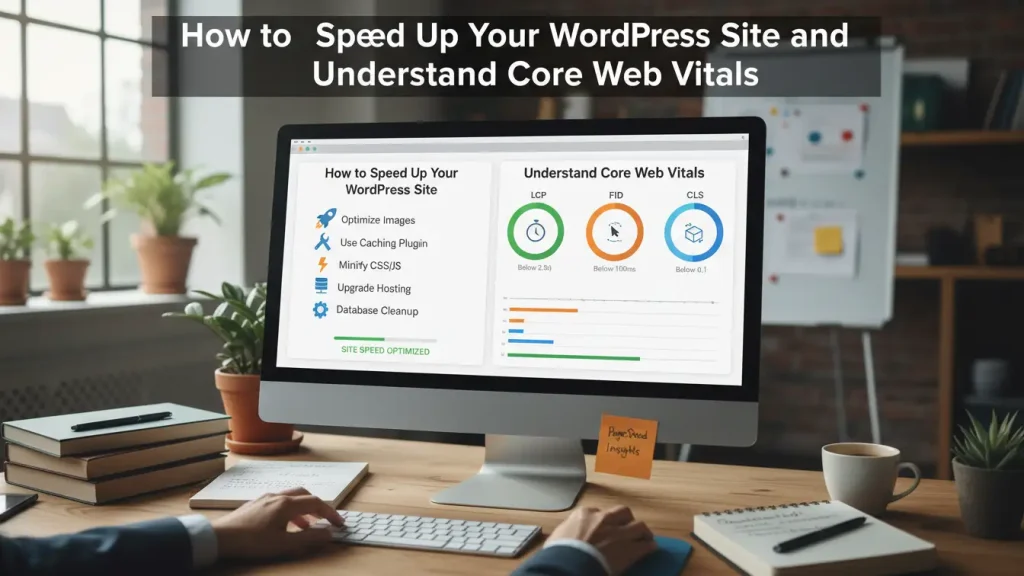
Core Web Vitals focus on three simple ideas. How fast content appears, how stable the layout feels, and how quickly the site reacts. In other words, they measure comfort. When you speed up your WordPress site, you work toward smoother first impressions rather than chasing technical scores alone.
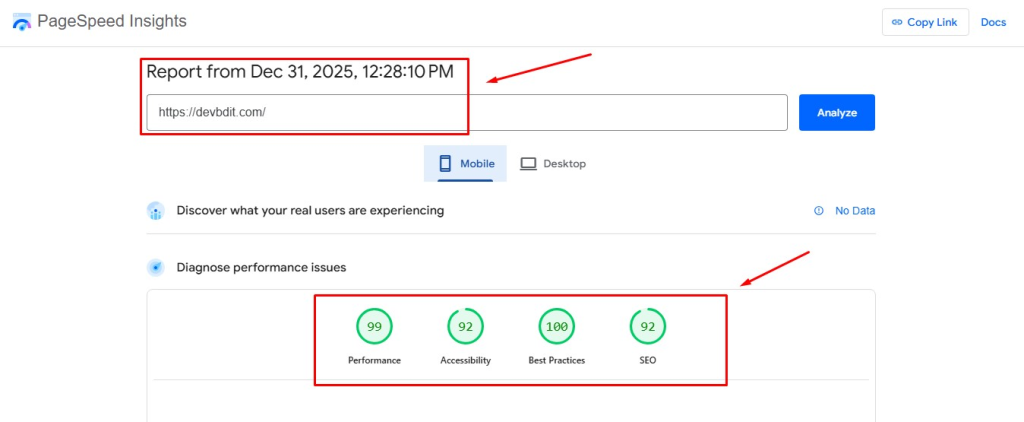
Google PageSpeed Insights helps translate these ideas into clear feedback. As can be seen, small improvements often bring visible results. For example, when text loads quickly and images settle into place, readers feel more relaxed. WordPress performance optimization tips usually begin here, because speed affects trust before words even matter.
2. How to fix a slow WordPress site without stress
At first, a slow site feels overwhelming. However, when you look closer, the fixes stay surprisingly grounded. Fundamental improvements usually start with trimming what you no longer need. Old plugins, unused themes, and forgotten scripts quietly add weight.
your After that, reduce external scripts whenever possible. Fonts, ads, and trackers can wait their turn. When you speed up your WordPress site, each removed request works like clearing clutter from a hallway. Consequently, pages feel lighter and visitors move through them with ease.
3. How to speed up a slow website with hosting and themes
Your hosting acts like the foundation of a home. If it struggles, nothing else settles properly. Use high-performance hosting that matches your audience size. Shared hosting may work early on, yet growing sites benefit from better resources.
Choose a fast theme as well. Some designs look elegant but hide heavy features behind the scenes. Compared to minimal themes, complex layouts often slow things down. When you speed up your WordPress site, hosting and themes quietly do the hardest work, much like sturdy walls holding a room together.
4. How do I increase my WordPress website speed with caching
Caching feels like setting the table before guests arrive. Instead of cooking each dish again, you serve what is already prepared. Install a caching plugin so pages load from stored versions. Performance and caching plugins reduce server effort and shorten wait times.
Minify CSS and JS at the same time. Smaller files travel faster. As a result, visitors experience smoother scrolling and quicker clicks. When you speed up your WordPress site, caching supports calm browsing without drawing attention to itself.
5. Image Optimization that keeps pages light and beautiful

Images shape mood, yet large files slow everything down. Compress and resize images before uploading them. Even small reductions make a difference. Use modern formats when possible, since they maintain clarity with less weight.
Image optimization also helps improve WordPress page load time on mobile devices. Given that many readers browse on phones, this step matters more than ever. When you speed up your WordPress site, visuals still shine but no longer overpower the space.
6. Database and technical care that runs quietly in the background
Over time, databases collect clutter like drawers full of old receipts. Database and Technical Optimization clears revisions, spam comments, and transient data. Regular cleanup keeps everything responsive.
Keep everything updated as well. New WordPress versions, themes, and plugins often include performance fixes. Although updates feel routine, they prevent issues later. When you Speed Up Your WordPress site, quiet maintenance ensures long term comfort rather than sudden breakdowns.
7. Tools that help you test and adjust with confidence
Recommended tools for testing give you direction without guesswork. Google PageSpeed Insights shows where delays occur, while other tools highlight server response and layout shifts. Use them from time to time rather than daily.
Testing works best when paired with patience. Make one change, then review results. Accordingly, you avoid confusion. When you speed up your WordPress site, thoughtful testing keeps progress steady and clear.
Wrapping it all together
Speed reflects care. Just as arranging a small living area takes intention, tuning a website rewards steady attention. When you speed up your WordPress site, you invite readers into a space that feels open, calm, and welcoming. Each improvement builds on the last, from hosting choices to image handling.
Above all, trust the process. Make changes gradually, observe how your site responds, and enjoy the creative side of optimization. Your website, like a well designed room, should support both beauty and function. Over time, visitors will feel that balance and return with ease.
FAQ
a. What makes a WordPress site slow?
A WordPress site often slows down due to heavy themes, too many plugins, large images, and external scripts. Hosting quality and outdated software also play a big role.
b. How do I increase my WordPress website speed without technical skills?
You can start by installing a caching plugin, compressing images, choosing a fast theme, and using Google PageSpeed Insights to guide small changes.
c. Why are Core Web Vitals important for WordPress?
Core Web Vitals measure loading speed, visual stability, and interaction time. They help search engines understand how comfortable your site feels for real visitors.
d. Do images really affect WordPress page load time?
Yes. Large images slow pages significantly, especially on mobile. Compressing and resizing images improves speed without hurting visual quality.
e. How often should I test my WordPress site speed?
Testing once after changes is enough. Regular checks every few weeks help you maintain performance without overthinking it.