Table of Contents
Decorating a small home teaches patience. Every shelf matters. Every corner needs purpose. Building a WordPress site often feels the same way, especially when space, performance, and clarity all compete for attention. You want pages that feel calm, flexible, and useful, not crowded or confusing. That is where dynamic content quietly steps in and changes how everything fits together. In this Introduction to JetEngine: Dynamic Content with Crocoblock, we will talk about how dynamic layouts help your site breathe and adapt, much like thoughtful interior design. Instead of forcing every page to look the same, you allow content to flow naturally. Above all, this approach helps you design with intention, even when your website feels small or complex at first.
1. Understanding dynamic content in WordPress without the noise
Dynamic content in WordPress often sounds heavier than it really is. At first, many people imagine complex code or rigid systems. In reality, dynamic content simply means your website responds to data instead of fixed text. For example, a blog layout can adjust itself based on categories, tags, or custom fields. In other words, you design once and reuse the structure many times.
This idea works well for portfolio sites, service pages, and even small business websites. Instead of repeating the same layout again and again, you let the content decide what shows up. As a result, your site stays organized and easier to manage. That feeling resembles a tidy studio apartment where every piece has its place.
When you explore jetengine wordpress tools, you notice how they encourage this flexible mindset. You stop thinking page by page and start thinking system by system. Eventually, your site feels calmer and more intentional.
2. Why JetEngine dynamic content WordPress matters for real projects
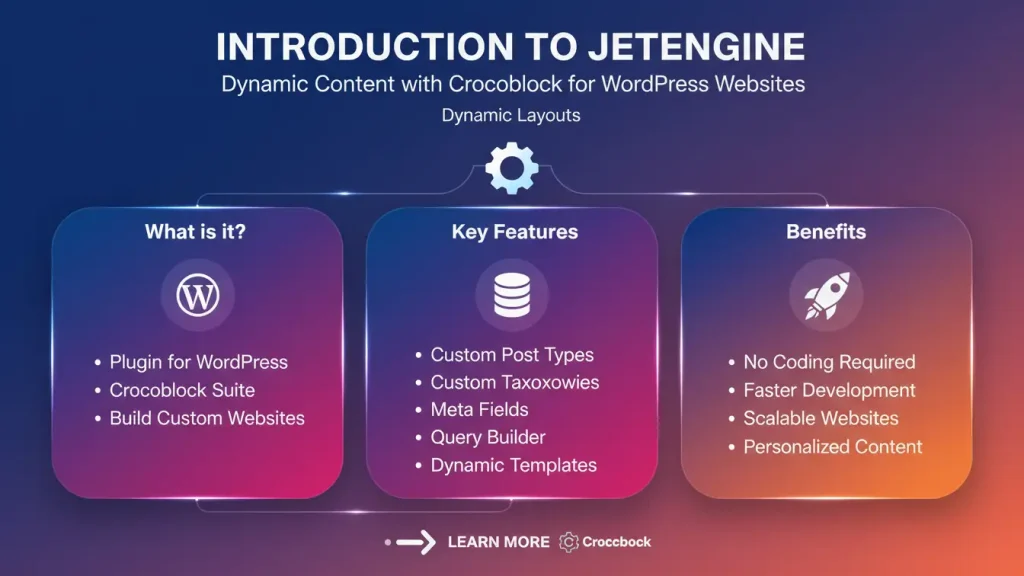
When people talk about JetEngine dynamic content WordPress solutions, they usually mean freedom. You can create listings, profiles, and filters without rebuilding everything each time. This matters whether you run a personal blog or a growing agency site.
For one thing, dynamic content reduces clutter behind the scenes. Instead of dozens of similar pages, you manage a few smart templates. Consequently, updates take less time and mistakes happen less often. That calm control feels valuable, especially when deadlines stack up.
Another key point is performance. Lean templates often load faster than bulky page copies. While this may be true for many tools, dynamic setups tend to scale better over time. In the long run, your site feels lighter and more responsive to visitors across the US, UK, Canada, and Australia.
3. JetEngine and Crocoblock as a design system
Crocoblock works like a well planned furniture collection. Each piece serves a purpose, yet everything fits together. Within this system, JetEngine acts as the framework that holds content logic in place. You define custom post types, relationships, and listings once, then reuse them calmly across your site.
This approach suits developers and designers who value consistency. Rather than chasing quick fixes, you build a stable foundation. As has been noted, stable foundations allow creativity to flourish later. You can change colors, spacing, or typography without breaking structure.
When you use the jetengine plugin inside Crocoblock, you stop fighting the editor. Instead, you guide it. That subtle shift often makes website building feel less stressful and more thoughtful.
4. Custom post types that feel natural, not technical
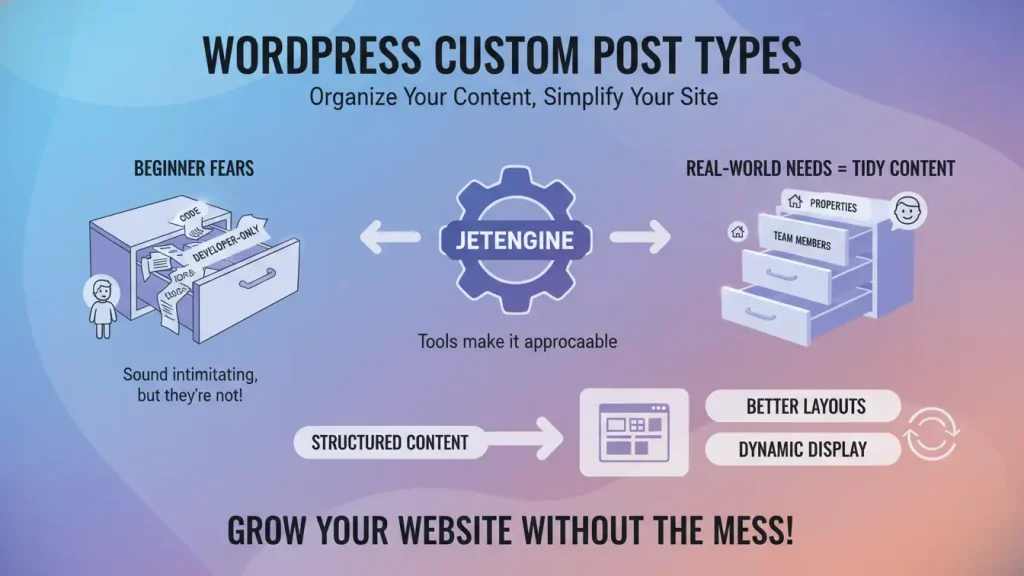
Custom post types often scare beginners. They sound like something reserved for developers only. However, tools inside wordpress jetengine environments make them approachable. You create content types that mirror real world needs, such as properties, team members, or case studies.
Think of it like organizing drawers in a small kitchen. When each drawer has a clear purpose, cooking becomes smoother. Similarly, custom post types keep content tidy. You know where everything belongs.
Additionally, structured content opens the door to better layouts. You can display items dynamically without copying content. As a result, your website grows without feeling messy or rushed.
5. JetEngine Query Builder and thoughtful data control
The JetEngine query builder helps you decide what content appears where, and when. Instead of guessing, you set clear rules. For instance, you may show featured projects on the homepage and recent posts on inner pages. This clarity keeps layouts intentional.
At first, query logic might feel abstract. Yet, once you try it, the process feels similar to sorting books by theme or color. You create order based on purpose. Consequently, visitors find what they need faster.
Moreover, smart queries reduce unnecessary loading. You only show relevant content. That matters for performance, especially on mobile devices where attention spans remain short.
6. Designing layouts with the JetEngine listing grid
The JetEngine listing grid allows you to design a single layout and reuse it across many pages. This concept saves time and preserves visual harmony. Instead of redesigning each card or section, you rely on a consistent structure.
In practice, this feels like choosing one chair design and placing it in different rooms. The space stays cohesive. Visitors sense that balance even if they cannot explain it.
Furthermore, listing grids adapt well to different screen sizes. As a result, your site feels comfortable on desktops and phones alike. That flexibility supports modern browsing habits across regions.
7. Personal spaces online with JetEngine profile builder
Online profiles feel personal. Whether they represent authors, members, or clients, they deserve clarity and warmth. The JetEngine profile builder helps create these spaces without overwhelming design choices.
You define what information matters, such as bios, images, or activity. Then, profiles adjust automatically. This saves time and reduces repetition. More importantly, it gives users a sense of belonging.
From time to time, websites need private areas like dashboards or account pages. Profile tools make these areas feel intentional rather than patched together. In effect, your site gains depth without clutter.
8. Visibility rules with JetEngine dynamic visibility
JetEngine dynamic visibility gives you control over what users see based on conditions. For example, you may hide certain sections from logged out visitors or display messages only when fields contain data.
This control resembles smart lighting in a small apartment. Lights turn on only when needed. Consequently, the space feels efficient and calm. Visitors see relevant content without distractions.
Dynamic visibility also supports personalization. You can tailor experiences subtly, without loud design tricks. That quiet customization often feels more respectful to users.
9. JetEngine integrations with WooCommerce and beyond
Many websites eventually sell something, whether products, services, or digital goods. Integrations matter at that stage. JetEngine integrations with WooCommerce allow you to extend shop layouts with custom fields and listings.
For example, you can display extra product details or related items dynamically. This flexibility keeps product pages informative without overcrowding them. Balance matters here, just as it does in interior layouts.
Beyond WooCommerce, integrations with forms and filters help shape user journeys. When everything connects smoothly, your site feels cohesive rather than stitched together.
10. ACF vs jetengine for structured content
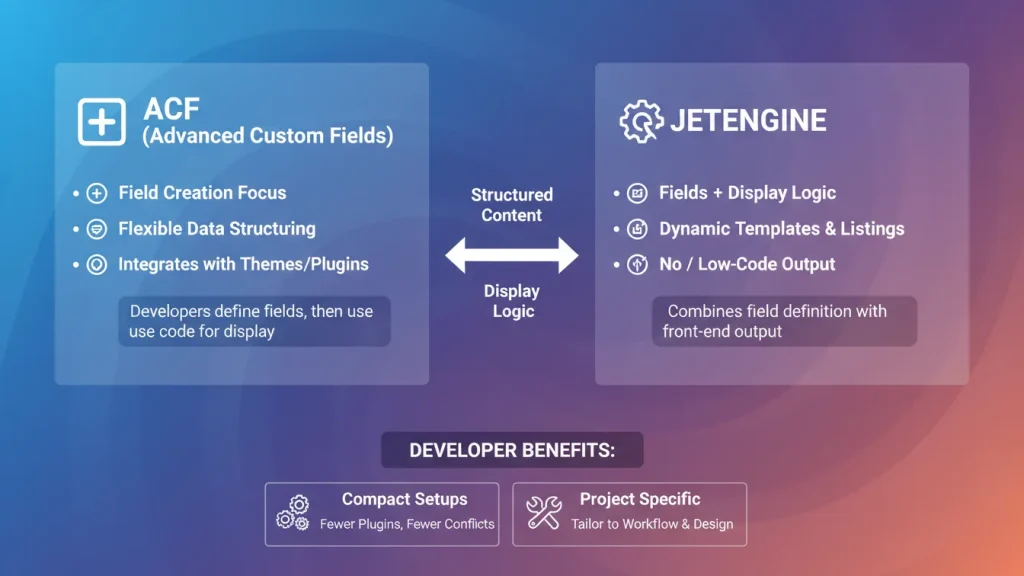
The comparison between acf vs jetengine often causes confusion, so a short clarification helps here. Both tools handle structured content, yet they approach it differently.
- ACF focuses mainly on creating custom fields and attaching them to content
- JetEngine combines custom fields with listing layouts, queries, and visibility rules
In practice, this means fewer plugins handling more tasks when you rely on JetEngine. That simplicity appeals to developers who prefer compact systems. However, some projects still benefit from using both tools together.
11. Using jetengine macros to add subtle intelligence
Jetengine Macros sound technical, yet jetengine macros simply insert dynamic values where needed. Dates, usernames, or calculated values appear automatically. This saves manual updates and reduces errors.
Think of macros as small labels that update themselves. Once placed, they quietly do their job. Over time, this automation keeps content accurate without constant attention.
Macros also support personalization. You can greet users by name or display context aware messages. These small touches add warmth without flashy effects.
12. Performance and structure working together
Performance often gets discussed separately from design. However, structure and speed connect closely. Dynamic templates reduce duplication, which often improves loading times.
When content stays organized, caching works better. Images load predictably. Pages feel stable. As a result, visitors stay longer and explore more.
Especially for audiences in different regions, performance consistency matters. Whether someone visits from New York or Sydney, your site should feel equally comfortable.
13. Who benefits most from dynamic content setups
Dynamic content suits many creators. Freelancers, agencies, bloggers, and shop owners all find value in flexible systems. Even small sites benefit from clean structure.
If you enjoy thoughtful layouts and calm workflows, this approach fits naturally. You design systems once, then refine them gently. Over time, your site evolves without major rebuilds.
In contrast, static pages often feel rigid. Changes require repetition. Dynamic setups reduce that friction and support long term growth.
14. Learning curve and realistic expectations
Every tool has a learning curve. JetEngine requires patience at first. You may spend time understanding relationships and queries. That is normal.
However, once concepts click, progress accelerates. You stop fighting layouts and start shaping them. The experience feels more creative and less mechanical.
It helps to experiment on small projects first. Build a listing, test visibility, adjust queries. Each step builds confidence.
15. A calm way forward with dynamic WordPress design
Dynamic content encourages mindful design. Instead of filling pages quickly, you think about structure and flow. This mindset aligns well with modern web design values.
As websites grow, calm systems matter more than flashy features. Visitors appreciate clarity. Editors appreciate simplicity. Developers appreciate control.
By focusing on structure first, you leave room for creativity later. That balance keeps projects enjoyable over time.
16. A thoughtful wrap up for creators and builders
Building a website does not need to feel rushed or noisy. Like arranging a small living space, it works best when you plan with care and leave room to breathe. Dynamic content allows your site to grow naturally, without constant rebuilding. As you experiment, trust your instincts and refine layouts slowly. With Crocoblock and JetEngine as part of your toolkit, you can shape websites that feel calm, flexible, and personal. Over time, those qualities make your work easier to manage and more pleasant to visit. Save ideas, test gently, and let your site evolve at its own pace.
FAQ
a. What is JetEngine used for in WordPress
JetEngine is used to create dynamic content such as custom post types, listing grids, profile pages, and conditional layouts without repeating content manually.
b. Is JetEngine suitable for beginners
Yes, beginners can use JetEngine if they take time to understand its structure. Starting with small projects makes the learning process easier and more practical.
c. How does JetEngine work with Crocoblock
JetEngine is part of the Crocoblock ecosystem and works alongside other tools to manage content structure, visibility rules, and dynamic layouts.
d. Can JetEngine be used with WooCommerce
Yes, JetEngine integrates with WooCommerce to display custom product data, dynamic listings, and additional product information.
e. What is the difference between ACF and JetEngine
ACF focuses mainly on custom fields, while JetEngine combines fields with dynamic display logic, queries, and frontend presentation tools.